.svg)
7 Best Customer Messaging Tools for Growing Businesses in 2026

Last Tuesday at 3 AM, Sarah's phone buzzed. She rolled over, squinted at the screen through half-closed eyes, and saw it, a customer notification from Australia asking about her store's return policy.
She made a mental note to respond in the morning, but by the time her alarm went off at 6:30, the situation had already spiraled. Instagram was flooded with product questions. Her website chat had three urgent messages. WhatsApp showed five unread conversations and somewhere in that chaos was probably the Australian customer, still waiting.
By 7 AM, Sarah had 23 unread messages scattered across four different platforms. She had no idea which ones were from serious buyers ready to purchase, which were simple questions that could wait, or which customer had messaged her on three different platforms about the same issue.
Sounds familiar...
If you're running a business in 2026, this isn't just Sarah's problem, it's probably your Tuesday morning too, and your Wednesday afternoon, and your Friday evening when you're trying to wrap up for the weekend.
Here's the harsh reality: your customers don't care that you're juggling five different apps. They don't care that you were asleep when they messaged from a different time zone. They don't care that Instagram DMs, WhatsApp, and your website chat are completely separate systems that don't talk to each other.
What they do care about is getting answers. Fast answers. And 90% of customers expect immediate responses when they contact a business, with "immediate" typically meaning under 10 minutes. Miss that window, and you're not just losing a sale, you're handing your customer directly to your competitor.
The brutal truth is that 70% of customers will abandon a brand after just two bad experiences. Two. That's all it takes. One slow response, one time they had to repeat their problem because you lost track of the conversation thread, and they're gone.
The Bad Effects Of Having Scattered Conversations
Let me tell you about Marcus, who runs a fitness equipment store. Last month, a customer named Jennifer messaged him on Instagram Monday asking about resistance bands. Marcus responded Tuesday morning…not terrible, but not the instant reply Jennifer expected.
By Tuesday evening, Jennifer emailed asking the same question because she hadn't checked Instagram again. Marcus saw the email Wednesday and responded, but by then Jennifer had moved to his website chat, frustrated and asking if anyone was actually running this business.
Marcus never made the connection. In his mind, these were three different people. In Jennifer's mind, she'd asked the same business the same question three times over three days and gotten nowhere. She bought from a competitor who responded on WhatsApp in 4 minutes.
Marcus lost a $300 sale. More importantly, he lost Jennifer's trust. She told her CrossFit community about the experience. That's not just one lost customer, that's potentially dozens of lost customers, all because Marcus was using disconnected tools that treated one person as three strangers.
This is what happens when businesses rely on the basic inbox features of individual platforms instead of proper customer messaging tools. You're not just slow, you're blind to the full picture of what customers are actually experiencing.
What Good Messaging Tools Help You Do
A good customer messaging tool brings all your conversations into one place. Website chat, WhatsApp, Instagram, email, everything. You shouldn't need five browser tabs open just to see what customers are saying.
Context preservation matters more than most people realize. When someone messages you on Instagram Monday, emails Tuesday, then uses your website chat Wednesday, you need to see it's the same person having one continuous conversation. Most tools treat these as three separate strangers. You're asking them to repeat their problem three times. That's how you lose customers.
Setup speed is non-negotiable. If your team can't figure it out in an hour, they won't use it. I've watched companies spend $10,000 on enterprise messaging tools that sit unused because nobody could navigate the admin panel without watching four hours of training videos.
The 7 Customer Messaging Tools I Recommend You Use
I tested every major platform. Ran them through actual customer conversations. Watched real teams use them during peak periods. Measured response times, conversion rates, and whether people still used them after the initial "new tool excitement" wore off three months later.
Here's what actually works.
1. Heyy

Starting Price: $49 for the Hobby Plan
Best For: Businesses managing conversations across multiple channels who are tired of the chaos
Remember Sarah and her 23 messages across four platforms? With Heyy, they all show up in one unified inbox. But here's what makes it actually different: if that Australian customer messaged on Instagram last week and emails today, Sarah sees the entire conversation history in one thread. Not two separate conversations. One continuous thread showing exactly what was already discussed.
Most messaging tools started their life as "website chat" software, then awkwardly bolted on Instagram and WhatsApp later. You can tell—the integrations feel clunky, conversations don't sync properly, and you're still basically juggling multiple inboxes that just happen to be in the same app.
Heyy was built for omnichannel from day one. Someone starts a conversation on your website, continues it on Instagram two days later, follows up on WhatsApp a week after that? You see one continuous conversation with one customer. Not three separate strangers asking similar questions.
The no-code automation builder is genuinely intuitive. I watched a business owner with zero technical background set up qualification flows in 20 minutes. She built a system that asks customers what they're looking for, routes product questions to her sales team, directs technical issues to support, and captures lead information automatically, all without writing a single line of code.
The built-in CRM means you're not constantly alt-tabbing to check customer history in another platform. Purchase history, previous conversations, preferences, notes, everything is right there when you're replying. This is huge for personalization. Instead of generic "How can I help you?" responses, your team can say "Hey Jennifer, I see you bought resistance bands last month, are you looking for heavier ones?"
What works brilliantly:
- True unified conversations across every channel (not just separate inboxes pretending to be unified)
- Setup genuinely takes under an hour, even when connecting five platforms
- Smart routing that understands context and intent, not just keywords
- Mobile app that actually works well (you'd be surprised how many don't)
- Conversation tagging and search that helps you find anything instantly
What doesn't:
- Might feel like overkill if you genuinely only use one channel (though if you're reading this, you probably use more than one)
- The automation builder has a learning curve if you want to build complex flows
- Reporting could be more detailed for agencies managing multiple clients
2. Intercom
Starting Price: $39/month
Best For: SaaS companies needing in-app messaging and behavioral triggers
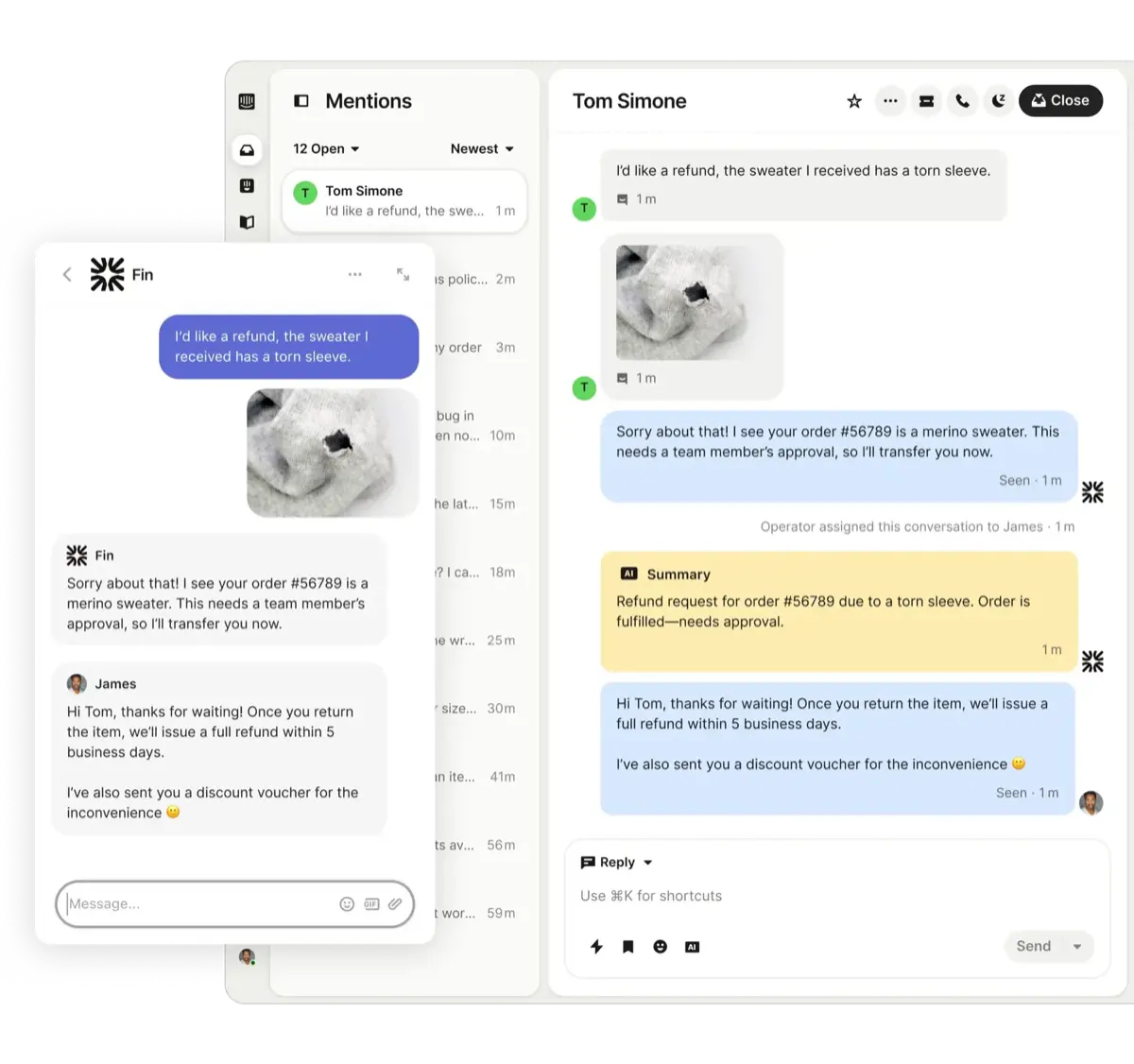
A SaaS founder I know set up Intercom on a Friday afternoon. By Monday morning, he'd sent his first behavioral message: new users who didn't connect their account within 10 minutes got an automatic contextual message inside the product saying "Need help getting connected? Here's a quick 2-minute video."
That's Intercom's superpower—it messages people based on what they actually do (or don't do) inside your product. Someone keeps visiting your pricing page but hasn't upgraded? Intercom knows. Hit an error three times trying to do the same thing? Intercom can automatically offer help before they get frustrated enough to churn.
The messages feel native to your product, not like intrusive pop-ups from a third-party chat widget. Users don't feel interrupted—they feel helped at exactly the moment they need it.
What works brilliantly:
- Behavioral targeting based on real user actions and inaction
- In-app messaging that doesn't annoy users
- Product tours and onboarding flows that reduce support volume
- Proactive messages that catch problems before users need to ask for help
What doesn't:
- Pricing scales aggressively—$39 can turn into hundreds monthly as you add users and features
- Social media integration is basic compared to dedicated social tools
- Can feel overwhelming with all the features if you just need simple messaging
3. Zendesk
Starting Price: $19/month per agent
Best For: Support teams handling thousands of conversations monthly
A friend's company handles 8,000 support conversations every month. They tried Tidio first, too basic. Tried Crisp, couldn't handle the volume. Tried Intercom, pricing got out of control. Finally landed on Zendesk and it's been rock-solid for two years.
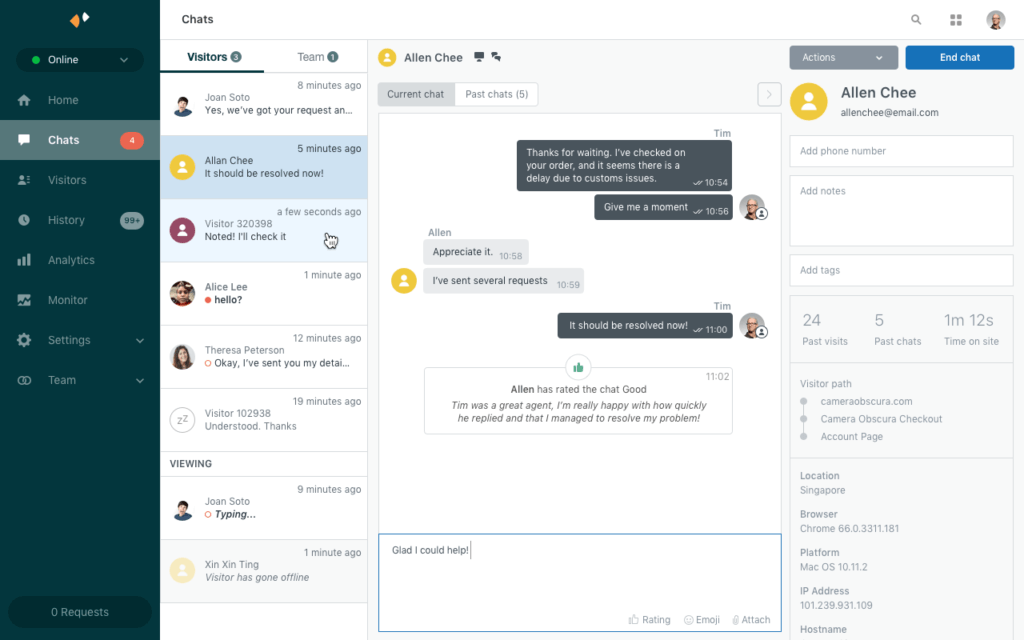
For enterprise-level support with multiple team members, SLA tracking, detailed reporting, and zero tolerance for downtime, Zendesk just works. It's not the sexiest interface. It's not the easiest to set up. But it doesn't buckle under pressure.
The ticketing system brings order to chaos. Every conversation gets a ticket number, clear status, assigned owner, priority level, and complete history. When you're managing thousands of conversations, that structure isn't optional, it's survival.
What works brilliantly:
- Handles massive scale effortlessly
- Rock-solid reliability with 99.9%+ uptime
- Robust reporting that shows exactly what's working and what's not
- Integrates with seemingly everything
- Powerful automation once you figure it out
What doesn't:
- Takes about two weeks of daily use before your team feels comfortable
- Feels corporate and rigid compared to newer, sleeker tools
- Can be overkill (and overpriced) for smaller teams
- Learning curve is steep for non-technical users
Real-world result: An e-commerce company moved from a patchwork of tools to Zendesk and cut their average resolution time from 14 hours to 6 hours, despite handling 30% more tickets. The structure and automation made that possible.
4. Drift
Starting Price: $2,500/month
Best For: B2B companies where messaging directly drives revenue
Let me be direct: Drift is expensive. Painfully expensive. But for the right B2B company, it pays for itself immediately.
A B2B SaaS founder connected Drift and booked 12 qualified sales meetings automatically in week one. Meetings that previously required cold emails, follow-ups, calendar coordination, and days of back-and-forth.
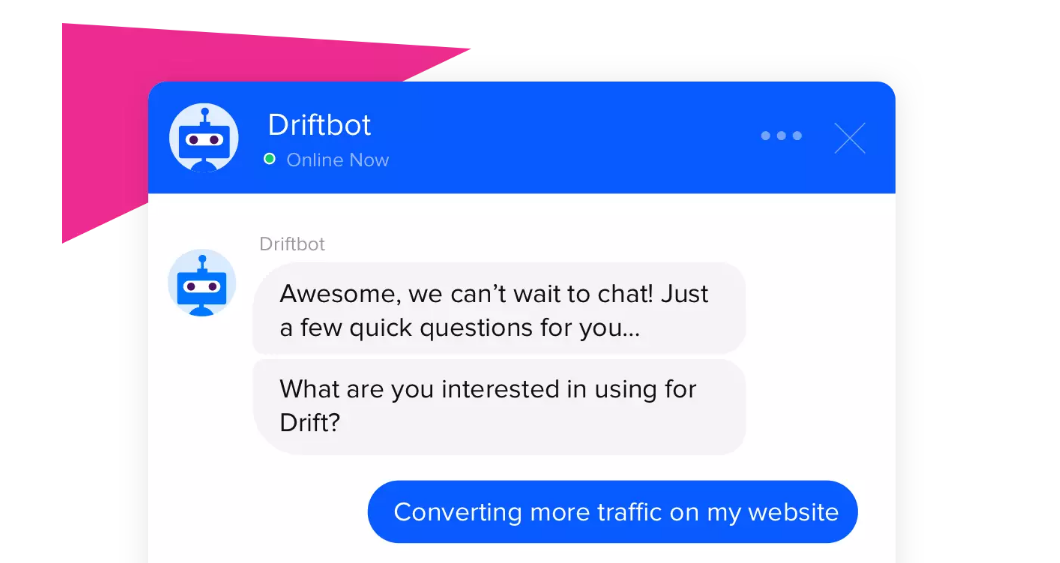
Here's how: someone from an enterprise company visits the pricing page at 10 PM. Drift detects the enterprise IP address, triggers a targeted sales message, asks qualifying questions, determines the visitor is decision-maker level, and offers calendar booking for a demo—all automatically. By the time the founder wakes up the next morning, there's a qualified meeting on his calendar for Thursday.
This isn't customer support. This is revenue generation.
What works brilliantly:
- Turns website visitors into booked meetings instantly
- Enterprise-grade ABM features for targeting high-value accounts
- Playbooks that convert visitors based on behavior and company data
- Speed-to-lead measured in seconds, not hours
- Integrates deeply with your sales stack (Salesforce, HubSpot, etc.)
What doesn't:
- Extremely expensive—$2,500/month minimum with annual contract
- Not designed for customer support (that's not the point)
- Overkill for B2C or small transaction sizes
- Can feel aggressive if not calibrated carefully
5. Tidio
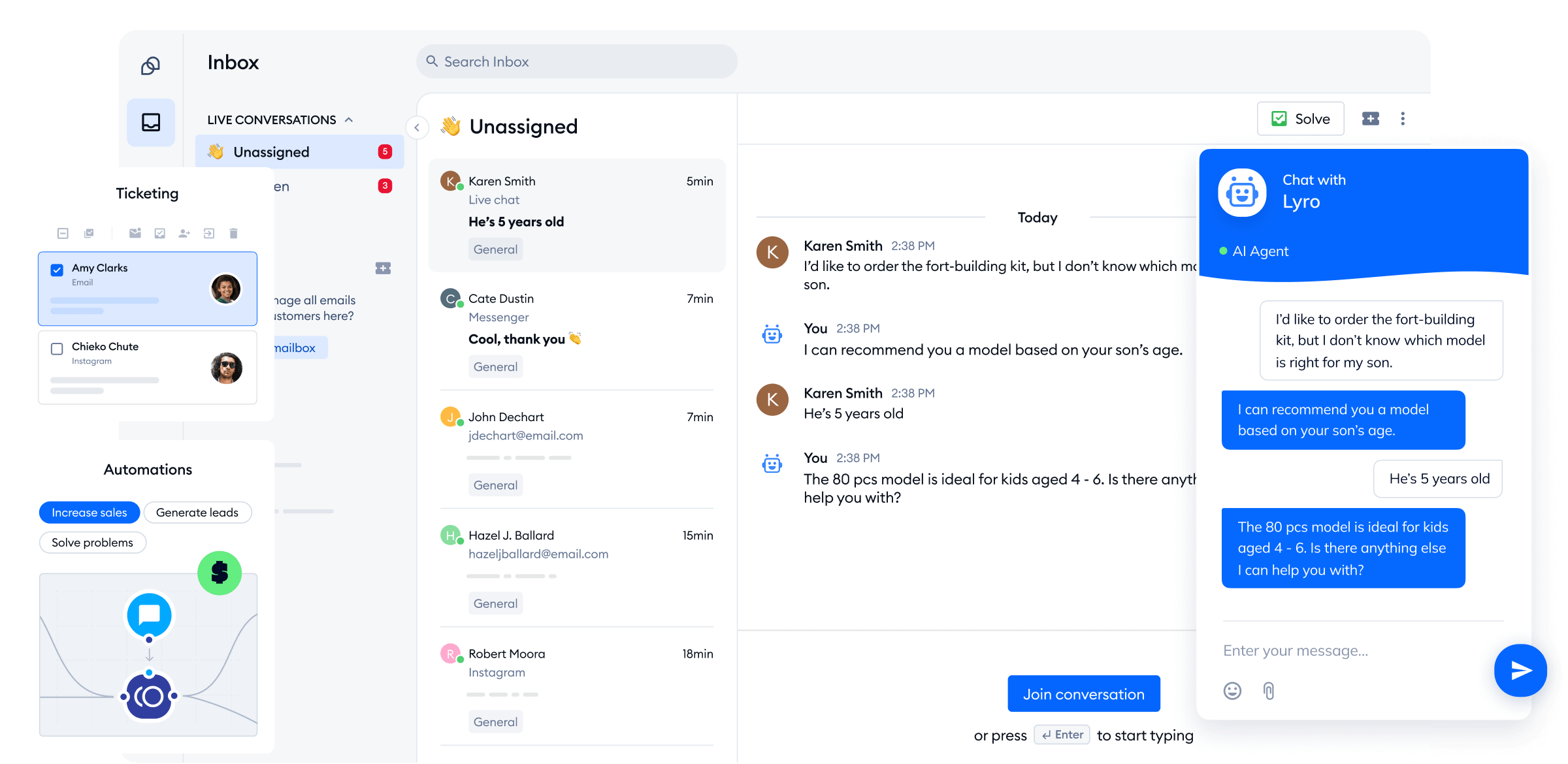
Starting Price: Free (paid plans from $29/month)
Best For: Small businesses just getting started with customer messaging
A friend launching her online boutique had Tidio responding to customers within 15 minutes of installation. She has zero technical background and zero budget. The free plan gave her live chat, basic chatbots, and email integration—enough to start providing real customer support immediately.
The free tier isn't one of those "technically free but completely useless" offerings. It's genuinely functional for small businesses testing whether customer messaging matters for their business model.
What works brilliantly:
- Actually useful free plan (not just a trial)
- Setup takes literal minutes, even for non-technical users
- Mobile apps let you respond from anywhere
- Clean interface that doesn't overwhelm beginners
- Good enough for most small businesses
What doesn't:
- Automation is pretty basic compared to more advanced tools
- Limited team collaboration features
- Reporting is minimal
- Will outgrow it fairly quickly as you scale
6. Crisp
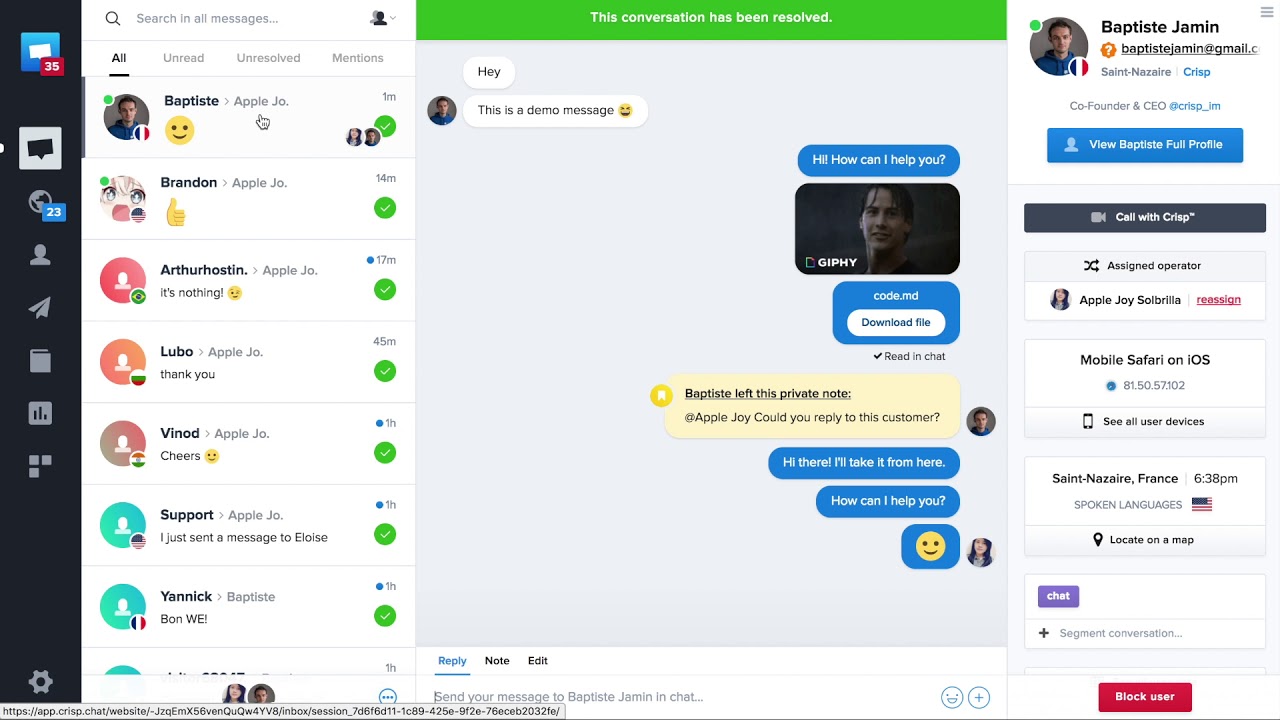
Starting Price: Free (paid from $25/month)
Best For: Tech startups wanting a clean, modern interface
A startup founder showed me Crisp after getting frustrated with Intercom's pricing. He needed his team—who live in the tool 8 hours a day—to have something fast and beautiful, not clunky and corporate-feeling.
The interface is genuinely nice to use. When your support team spends their entire day in a tool, that matters more than you'd think. Slow, ugly software creates friction. Fast, beautiful software makes work feel less like work.
The co-browsing feature is legitimately useful. Customer confused about how to complete checkout? You can see their screen and guide them through in real-time. It's saved countless sales and prevented support tickets from escalating.
What works brilliantly:
- Beautiful, intuitive interface that's actually fast
- Co-browsing solves problems that would otherwise need screen-sharing calls
- Reliable even on the free tier
- MagicBrowse shows what page customers are on when they message
- Keyboard shortcuts make power users incredibly fast
What doesn't:
- Integration ecosystem is smaller than competitors
- Doesn't scale great past 5-10 team members
- Automation is less sophisticated than Intercom or Heyy
- Reporting could be more detailed
7. HubSpot
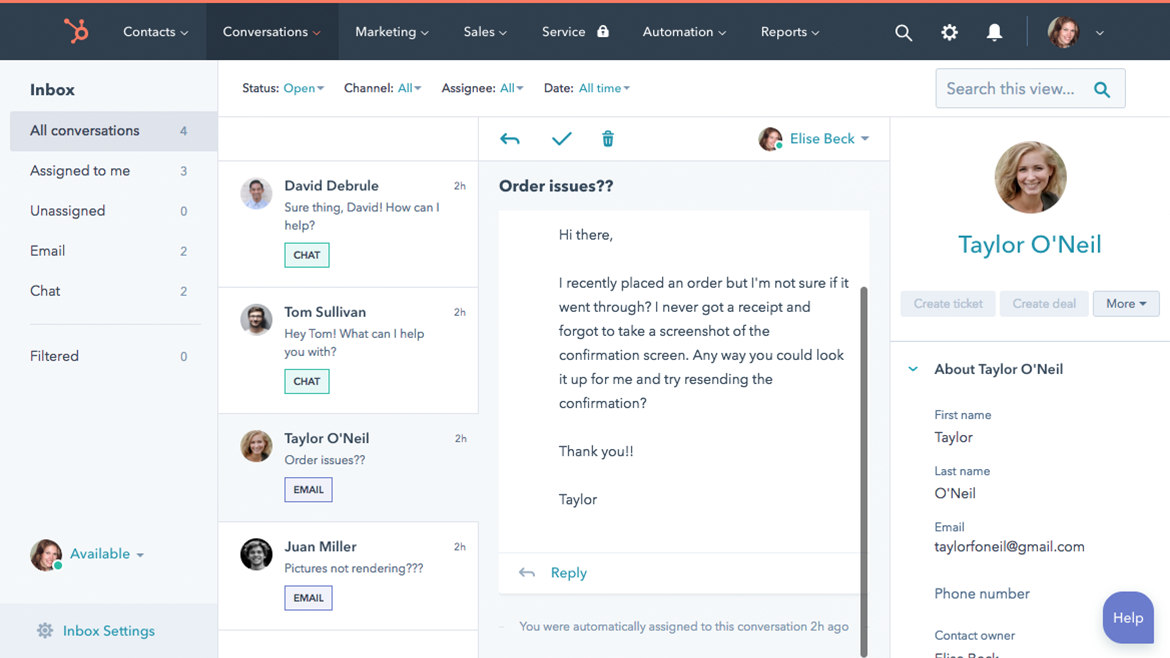
Starting Price: Free (paid from $45/month)
Best For: Businesses already using HubSpot for CRM or marketing
Don't adopt HubSpot just for the messaging tool. That would be like buying a house because you like the doormat. But if you're already living in the HubSpot ecosystem? The native integration makes complete sense.
A marketing agency I work with uses HubSpot for everything—CRM, email marketing, landing pages, and messaging. When a website visitor starts a chat, it automatically creates a contact record, logs the conversation, notes what pages they visited, and can trigger an email sequence when the chat ends. No Zapier. No API connectors. It just works.
What works brilliantly:
- Zero integration headaches if you're in the HubSpot ecosystem
- Functional free tier for small businesses
- Data flows automatically between messaging, CRM, and marketing
- Everything lives in one platform
- Unified reporting across all customer touchpoints
What doesn't:
- Limited value if you're not using other HubSpot products
- Basic compared to specialized messaging tools
- Feels bloated if you only need messaging
- Pricing can scale aggressively as you add features
How to Choose the Right Tool For You
Here's what nobody tells you: the "best" tool isn't objectively best. It's best for your specific situation, your actual customer behavior, your team's technical comfort level, and your actual budget.
Most businesses pick tools the wrong way. They read a blog post (maybe this one), see "best tool," and sign up. Three months later, they've paid for a tool they're barely using because it doesn't actually fit how their business works.
Do this instead:
Start by mapping where customers actually contact you. Get real data. Don't guess. Log into each platform and see where messages actually come from. If 80% of your customer conversations happen on Instagram and WhatsApp, but you're evaluating tools based on their email integration, you're solving the wrong problem.
Consider what your team can handle. Be honest about technical ability. If your team struggles with basic software, that $10,000 enterprise platform with infinite customization will sit unused. Sometimes the "less powerful" tool that your team actually uses beats the "more powerful" tool that intimidates them.
Think about growth, not just today. You need a tool that works now but also scales. Tidio's free plan might be perfect today, but will it work when you have three team members? Drift might be perfect for your sales team, but is it overkill when you're still figuring out product-market fit?
Actually test the software. Most tools offer free trials. Use them. Don't just click around the demo for 10 minutes. Actually connect your channels. Have your team respond to real customers. See how it feels under real conditions. You'll learn more in one day of actual use than reading 50 comparison articles.
Calculate the real cost. $49/month sounds cheap until you realize you need three team members ($147/month), plus the integration package ($50/month), plus the reporting addon ($30/month). Suddenly that "cheap" tool costs $227/month. Multiply by 12 months. Would you rather spend that or invest in a slightly more expensive tool that includes everything?
You don't need to be perfect tomorrow. You need to be better than you were yesterday, and better than your competitors are today.
Pick the tool that solves your biggest pain point right now. If you're drowning in scattered conversations across platforms like Sarah and Marcus, try Heyy. If you're a SaaS product and need behavioral messaging, test Intercom. If you're just starting and need something simple and free, start with Tidio or Crisp.
Get one tool working. Actually use it for a month. Measure what changes. Then decide if you need to upgrade, switch, or keep going.
The businesses succeeding in 2026 aren't the ones with the most sophisticated software stack. They're the ones actually responding to customers quickly, consistently, and helpfully across whatever channels their customers prefer.
Your customers are already messaging you. The only question is whether you're set up to respond in a way that turns those messages into relationships, and those relationships into revenue.
Ready to integrate your customer conversations? If you're managing customers across multiple channels and tired of the chaos, try Heyy free for 14 days. Connect WhatsApp, Instagram, Facebook Messenger, website chat, and email into one intelligent inbox. No credit card required.
More blog posts to read

Ready to Automate Support
Across Every Channel?
.svg)
.avif)